
About 73% of people who use AI chatbots for work say they regularly struggle to find past conversations they know they had. That number comes from user behavior surveys on productivity tools, and it tracks with something almost every regular AI user has felt. You had a brilliant exchange with ChatGPT three weeks ago. It solved a real problem. Now you cannot find it, and you are starting from scratch.
This article gives you a clear picture of how AI chatbot conversations archive systems work, what your actual options are right now, and how to pick the right approach for your situation. Whether you want something quick and simple or a long-term organized system, you will know exactly what to do by the end.
This Is Written for One Specific Type of Person
If you use AI chatbots casually once a week, this probably is not your main concern. But if you use tools like ChatGPT, Claude, or Gemini regularly for work, research, writing, or problem-solving, then losing past conversations costs you real time and real money.
You might be a freelancer, a researcher, a content creator, a developer, or someone who runs a small business. You have already figured out that AI gives you useful outputs. Now you need those outputs to be findable, reusable, and safe. That is the exact situation this article was written for.
Why AI Chatbot Conversations Are So Easy to Lose
Most AI chatbot platforms were built to give you answers, not to store them for you. That is a meaningful distinction. The history features that exist in tools like ChatGPT or Claude are helpful for short-term recall, but they are fragile.
ChatGPT’s conversation history, for example, can be turned off by accident, deleted when you clear your browser, or lost if your account runs into a problem. Claude does not store past conversations between sessions at all by default. Gemini keeps some history but does not make it easy to search or export.
The core issue is that these platforms treat conversation history as a convenience feature, not a permanent record. There is no guarantee your chats will be there tomorrow. If you have ever had a conversation disappear because you were logged out or accidentally hit “delete,” you already know this.
An ai chatbot conversations archive gives you control over your own data. Instead of relying on the platform to keep your chats safe, you create your own system. That shift in mindset, from trusting the app to owning your records, is where most users need to start.
How to Actually Build an AI Chatbot Conversations Archive
Your Platform’s Built-In Export Is the First Step, Not the Last
Every major AI chatbot platform gives you some version of a data export feature. In ChatGPT, you can go to Settings, then Data Controls, and request a full export of your conversation history. The export arrives as a zip file with JSON and HTML files inside. Claude does not currently offer a bulk export, but you can manually copy conversations. Gemini allows partial export through Google Takeout.
These exports are a starting point. The raw files from ChatGPT, for instance, are not easy to read or search. A JSON file is readable if you know how, but most people do not want to open a text file to find a specific conversation from six months ago. Use the export to create a backup, not as your main archive system.
A Simple Folder System Works Better Than You Think
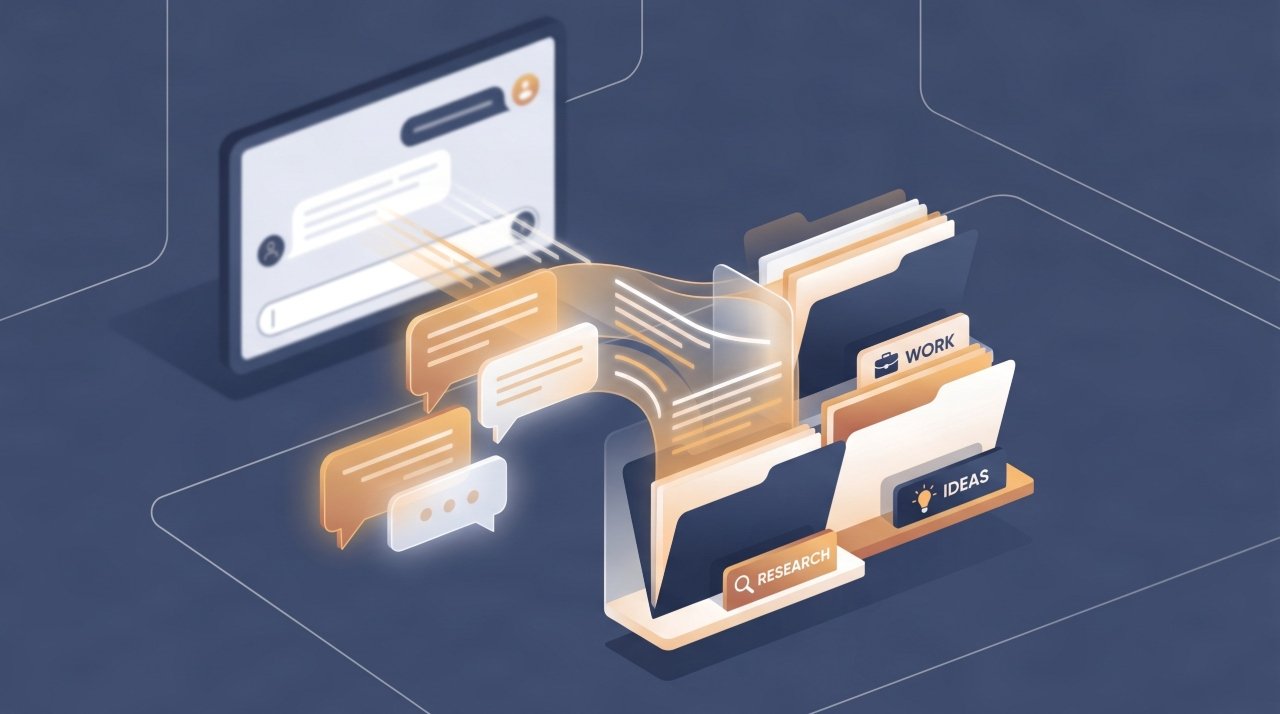
For many people, a well-organized folder on their computer or cloud drive is enough. Create a main folder called something like “AI Chat Archive.” Inside, create subfolders by month, by project, or by topic, whichever makes more sense for how you work. When a conversation produces something useful, copy and paste the key parts into a text or document file and save it in the right folder.
This is low-tech but it works. The key is doing it while the conversation is still open, before you close the tab and forget. A paste, a title, a date, done. Three minutes of work can save you an hour of searching later.
Notion and Obsidian Turn Your Archive Into a Searchable Knowledge Base
If you want something more powerful, both Notion and Obsidian let you build a searchable archive of AI conversations that actually works like a database. In Notion, you can create a database where each entry is a saved conversation. You can tag entries by topic, date, AI tool used, and usefulness rating. Searching for “email subject lines from Claude” takes about three seconds.
Obsidian is better for people who prefer to keep everything local on their device. It stores notes as plain text Markdown files, so there is no subscription and no third-party server storing your data. You can link related conversations together, which is useful if you are building on ideas across multiple sessions. Both tools have a learning curve but pay off fast once set up.
Browser Extensions and Third-Party Tools Fill the Gap
Several browser extensions were built specifically to solve the AI chatbot conversations archive problem. Tools like “ChatGPT Exporter” (available on the Chrome Web Store) let you export individual conversations as Markdown, PDF, or plain text with one click. That is much faster than using the platform’s bulk export and gives you more readable files.
There are also tools like Merlin, Superpower ChatGPT, and SaveDay that add archive and search features directly into the ChatGPT interface. These are not official OpenAI products, so use them with some caution. Read their privacy policies before connecting them to your account. For most work-related archives that do not include sensitive data, they are practical and worth the setup time.
A Tagging System Makes Any Archive Actually Usable
The biggest failure point in any archive system is not saving. It is finding. If you save everything but use no tags or categories, your archive becomes a pile. You end up searching through it just as slowly as you would have searched the original chat interface.
Pick five to ten tags that cover your main uses and stick with them. Examples: “copywriting,” “research,” “code snippets,” “client work,” “strategy,” “templates.” Every time you save a conversation, add one or two tags. In Notion this is built into the database structure. In a folder system, you can add tags to the file name. In Obsidian, you add hashtags inside the note. The exact method matters less than the habit.
What Most Articles About AI Chat Archives Get Wrong
Most guides focus entirely on the saving step and skip the retrieval problem. They tell you to export your chats or use a folder system, but they do not tell you how to actually get back to the right conversation six months later when you need it.
Here is the specific thing people miss: the title you give a saved conversation is the most important part of the whole system. A file called “ChatGPT chat 04-14” tells you nothing. A file called “Claude product description framework for SaaS landing pages April 2025” is findable in thirty seconds.
The moment you save a conversation, write the title as if you are leaving a note for your future self who has completely forgotten the context. Be specific. Include the AI tool, the topic, and the core output. That one habit will save you more time than any fancy software.
How to Set Up Your Archive Starting Today
Start with the simplest version. Open whatever folder system you already use (Google Drive, Dropbox, a local hard drive) and create one new folder called “AI Archive.” Inside it, make three subfolders: “Work,” “Research,” and “Personal.” That is your skeleton.
Next, go to whatever AI chatbot you use most. If it is ChatGPT, go to Settings and request a data export right now. Save that export file into your new archive folder as your baseline backup. Then, the next time you have a useful AI conversation, copy the key section, paste it into a new document with a specific title, and save it. Do that for one week.
After a week, look at what you have saved and decide if you want something more organized. That is when it makes sense to look at Notion or Obsidian. But starting simple means you actually start. Most people who wait to build the “perfect” system never build anything.
The Most Important Thing to Take Away
An ai chatbot conversations archive is not about hoarding every chat you have ever had. It is about protecting the outputs that took real thinking and real time to produce. Those are worth keeping. The platform you use will not keep them for you indefinitely, and one deleted account or cleared history wipes everything.
Start with a simple folder, give your saved files specific titles, and add a tagging habit. That alone puts you ahead of most AI users. If you are ready to go further, set up Notion or Obsidian and build something you can actually search. Start this week. The best time to build the system was the first day you started using AI. The second best time is right now.