
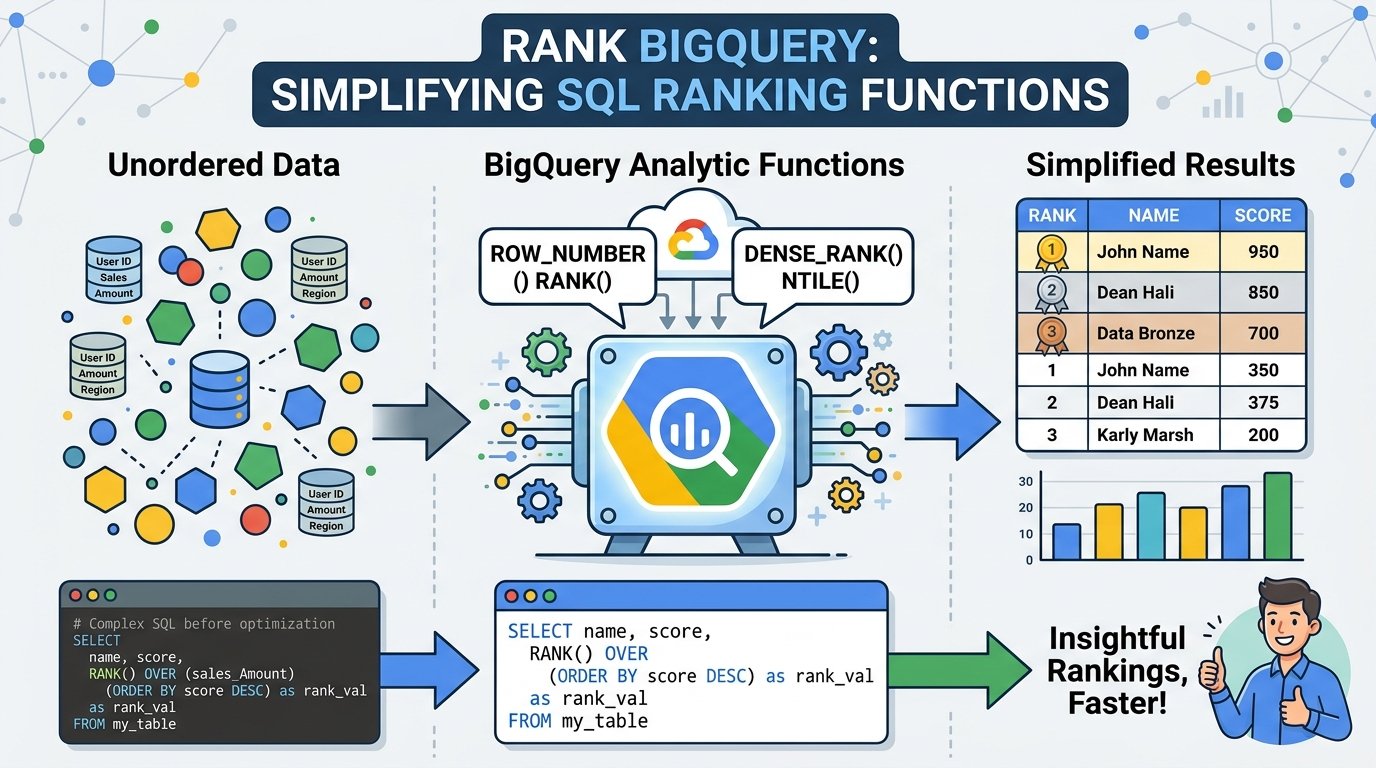
Data analysis often involves sorting, comparing, and ranking rows of information. Whether you are analyzing sales data, customer performance, or website traffic, ranking functions make the process faster and more accurate. In Google BigQuery, ranking functions are powerful SQL tools that help organize and evaluate data efficiently. Understanding how Rank BigQuery works can improve your ability to handle large datasets and create meaningful reports.
This guide explains BigQuery ranking functions, how they work, and why they are important for modern data analysis.
What Is Rank BigQuery?
Rank BigQuery refers to the SQL ranking functions available in Google BigQuery. These functions assign ranking values to rows based on specific conditions and sorting rules. They are commonly used in analytics, reporting, and business intelligence tasks.
BigQuery provides several ranking functions, including:
RANK()DENSE_RANK()ROW_NUMBER()NTILE()
These functions work with the OVER() clause, which defines how rows should be grouped and ordered before ranking is applied.
Ranking functions are especially useful when dealing with large datasets because they automate calculations that would otherwise require complex queries or manual processing.
Why Ranking Functions Matter in BigQuery
Ranking functions are important because they help businesses and analysts quickly identify trends and patterns in data. Instead of manually comparing rows, SQL ranking functions automatically assign positions based on values.
For example, ranking functions can help you:
- Find the top-selling products
- Rank employees by performance
- Identify the highest website traffic sources
- Compare regional sales results
- Organize customer purchase history
These functions improve data readability and make reports easier to understand. They also reduce the amount of code needed for advanced analysis.
Understanding the RANK() Function
The RANK() function is one of the most commonly used ranking functions in BigQuery. It assigns a ranking number to each row within a dataset based on sorting conditions.
Rows with the same value receive the same rank. However, the next rank number skips ahead based on the number of tied rows.
For example:
| Name | Score | Rank |
|---|---|---|
| Ali | 95 | 1 |
| Sara | 95 | 1 |
| John | 90 | 3 |
In this example, Ali and Sara both receive rank 1 because they have the same score. The next rank becomes 3 instead of 2.
This behavior is useful when you want ranking positions to reflect ties accurately.
Using DENSE_RANK() in BigQuery
The DENSE_RANK() function works similarly to RANK(), but without gaps in ranking numbers.
Example:
| Name | Score | Dense Rank |
|---|---|---|
| Ali | 95 | 1 |
| Sara | 95 | 1 |
| John | 90 | 2 |
Unlike RANK(), the next rank after the tie is 2 instead of 3.
This function is ideal when continuous ranking is required, such as leaderboard systems or categorized reports.
How ROW_NUMBER() Works
ROW_NUMBER() assigns a unique number to every row, even if values are identical.
Example:
| Name | Score | Row Number |
|---|---|---|
| Ali | 95 | 1 |
| Sara | 95 | 2 |
| John | 90 | 3 |
This function is useful when you need unique row identification or want to remove duplicate records.
Many developers use ROW_NUMBER() for pagination, filtering, and selecting the latest records from datasets.
The Role of the OVER() Clause
Ranking functions in BigQuery require the OVER() clause. This clause defines how data should be partitioned and ordered before rankings are applied.
A simple example looks like this:
SELECT
  employee_name,
  salary,
  RANK() OVER (ORDER BY salary DESC) AS salary_rank
FROM employees;
In this query:
- Data is sorted by salary in descending order
- Employees with higher salaries receive better ranks
- The ranking is calculated dynamically
The OVER() clause can also include PARTITION BY, which separates data into groups before ranking.
Example:
RANK() OVER (
  PARTITION BY department
  ORDER BY salary DESC
)
This ranks employees separately within each department.
Practical Uses of Rank BigQuery
BigQuery ranking functions are widely used across industries because they simplify data analysis.
Sales Analysis
Companies can rank products based on monthly sales to identify top-performing items.
Customer Insights
Businesses can rank customers by total purchases or engagement levels to improve marketing campaigns.
Website Analytics
Website owners can rank pages by traffic, bounce rate, or conversion performance.
Financial Reporting
Banks and financial institutions often use ranking functions to analyze transactions and customer accounts.
Employee Performance Tracking
Organizations can rank employees based on productivity, attendance, or revenue generation.
These practical applications make ranking functions essential for data-driven decision-making.
Benefits of Using Ranking Functions in BigQuery
Using ranking functions in BigQuery offers several advantages:
Faster Data Processing
Google BigQuery processes large-scale analytics efficiently, and its ranking functions handle massive datasets with high performance.
Cleaner Queries
Ranking functions reduce the need for nested queries and complicated logic.
Better Reporting
Ranked data is easier to interpret and visualize in dashboards or reports.
Improved Accuracy
Automated ranking reduces human errors during data analysis.
Scalable Analytics
BigQuery can process billions of rows, making ranking functions suitable for enterprise-level operations.
These benefits make Rank BigQuery a valuable tool for analysts and developers alike.
Common Mistakes to Avoid
Although ranking functions are powerful, beginners sometimes make mistakes when using them.
Forgetting ORDER BY
Without ORDER BY, ranking functions cannot determine how rows should be ranked.
Using the Wrong Ranking Function
Choosing between RANK(), DENSE_RANK(), and ROW_NUMBER() depends on how ties should be handled.
Ignoring PARTITION BY
Failing to partition data correctly can produce inaccurate rankings.
Overcomplicated Queries
Simple ranking queries are often more efficient than deeply nested SQL statements.
Understanding these common issues can help improve query performance and accuracy.
Best Practices for Rank BigQuery
To get the best results from BigQuery ranking functions, follow these practices:
- Use meaningful sorting conditions
- Apply partitions carefully
- Test queries on smaller datasets first
- Optimize table structures for performance
- Use aliases to improve readability
Well-structured ranking queries are easier to maintain and scale as data grows.
Conclusion
Rank BigQuery simplifies complex data analysis by providing powerful SQL ranking functions that organize and compare information efficiently. Functions like RANK(), DENSE_RANK(), and ROW_NUMBER() help analysts generate accurate insights while reducing manual effort.
Whether you are working with sales reports, customer analytics, or performance tracking, ranking functions make data easier to understand and manage. By learning how these functions operate and applying best practices, users can unlock the full analytical power of Google BigQuery.
As businesses continue to rely on data-driven decisions, mastering BigQuery ranking functions becomes an essential skill for developers, analysts, and database professionals.