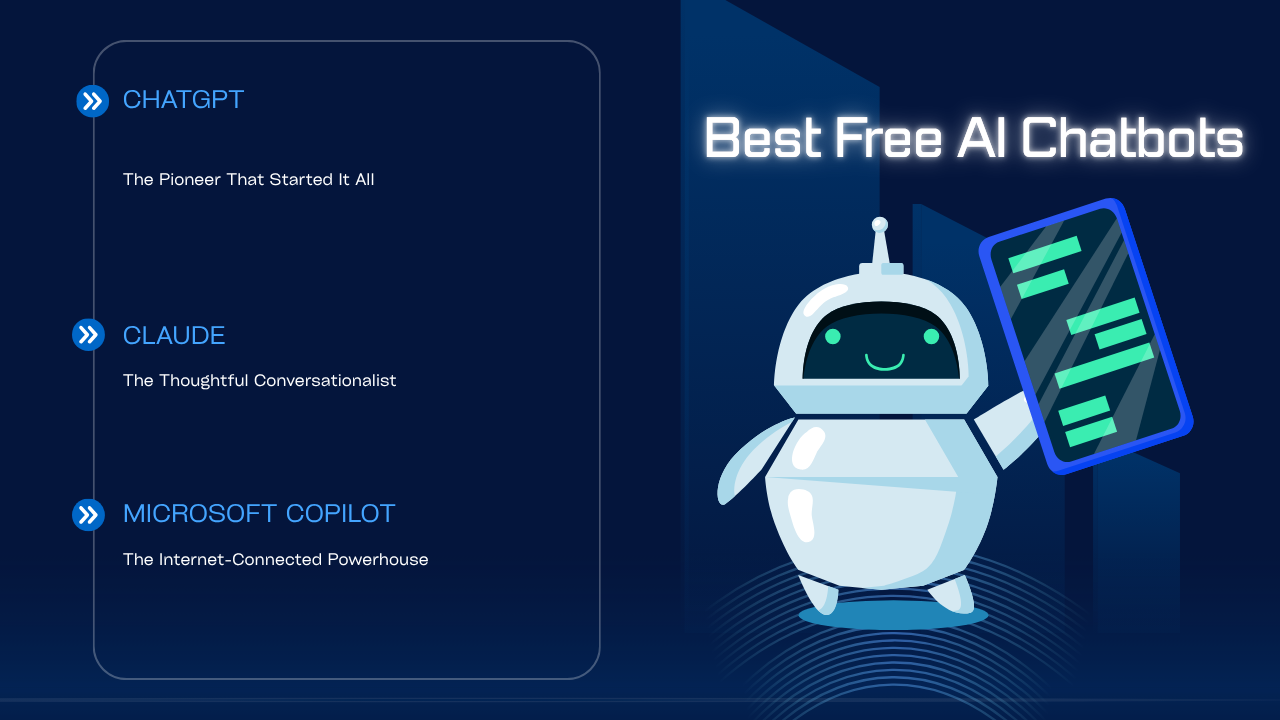
The artificial intelligence revolution has fundamentally transformed how we interact with technology, and nowhere is this more evident than in the explosion of AI chatbots available today. What was once the exclusive domain of tech giants and research laboratories is now accessible to anyone with an internet connection. The democratization of AI has led to an impressive lineup of sophisticated chatbots that can write, analyze, brainstorm, code, and converse with remarkable fluency—all without costing users a single penny. But with so many options available, choosing the right AI chatbot for your needs can feel overwhelming. This comprehensive guide explores the leading free AI chatbots, examining their strengths, weaknesses, unique features, and ideal use cases to help you make an informed decision.
ChatGPT: The Pioneer That Started It All
When OpenAI released ChatGPT to the public in November 2022, it ignited a global conversation about artificial intelligence that continues to this day. Within just five days, the chatbot had attracted over one million users, a testament to both its capabilities and the pent-up demand for accessible AI technology. ChatGPT’s free tier provides access to GPT-3.5, a language model trained on vast amounts of internet text that can engage in remarkably human-like conversations.
What makes ChatGPT particularly compelling is its versatility. Students use it to understand complex concepts and get homework help. Writers employ it for brainstorming ideas, overcoming creative blocks, and refining their prose. Developers leverage it for debugging code, learning new programming languages, and generating boilerplate functions. Business professionals draft emails, create presentations, and analyze documents. This jack-of-all-trades quality has made ChatGPT the default choice for millions of users worldwide.
The interface is refreshingly simple—a clean chat window where you type your questions and receive responses in real-time. ChatGPT excels at maintaining context throughout a conversation, remembering what you discussed earlier and building upon previous exchanges. This contextual awareness makes it feel less like querying a database and more like having a knowledgeable assistant at your disposal.
However, ChatGPT isn’t without limitations. The free version relies on GPT-3.5, which, while impressive, doesn’t match the reasoning capabilities of newer models like GPT-4. It has a knowledge cutoff date, meaning it cannot provide information about events that occurred after its training data ended. The chatbot also cannot browse the internet in its free version, potentially leaving you with outdated information on rapidly evolving topics. During peak usage times, free users may experience slower response times or even temporary access restrictions as the system prioritizes paid subscribers.
Despite these constraints, ChatGPT remains an excellent starting point for anyone new to AI chatbots. The abundance of online resources, tutorials, and community forums means help is always available when you’re learning to craft effective prompts or exploring the tool’s capabilities.
Claude: The Thoughtful Conversationalist
Anthropic’s Claude has steadily built a devoted following among users who value depth, nuance, and ethical consideration in their AI interactions. While it may not have achieved ChatGPT’s household name recognition, Claude has carved out a distinct identity as the more thoughtful, careful conversationalist in the AI landscape.
What immediately sets Claude apart is its conversational tone. Responses often feel more natural and less formulaic than those from other chatbots. Claude tends to acknowledge uncertainty more readily, express nuanced viewpoints, and engage with the complexities of questions rather than rushing to provide simplified answers. This makes it particularly valuable for exploratory conversations where you’re working through ideas rather than seeking quick facts.
The chatbot’s longer context window—its ability to remember and reference more of your conversation history—is a significant advantage for extended discussions. If you’re working on a lengthy project, developing a complex argument, or need the AI to maintain awareness of numerous details, Claude’s superior memory becomes invaluable. Writers working on long-form content, researchers synthesizing information from multiple sources, and anyone engaged in deep analytical work will appreciate this capability.
Claude also demonstrates stronger ethical boundaries and safety measures. It’s been designed with Constitutional AI, an approach that embeds ethical principles into the model’s training process. In practice, this means Claude is more likely to decline generating harmful content, recognize potentially problematic requests, and offer thoughtful explanations for its limitations. While some users might find this occasionally frustrating when they have legitimate but edge-case requests, others appreciate the guardrails.
The chatbot performs admirably at creative tasks, offering fresh perspectives and avoiding clichéd responses. Whether you’re brainstorming business names, developing fictional characters, or exploring philosophical questions, Claude brings a distinctive voice to the conversation that many users find more engaging than more mechanical alternatives.
On the downside, Claude can sometimes be overly cautious, declining requests that other chatbots would handle without issue. Its availability has also been more limited geographically than some competitors, though Anthropic continues expanding access. Like ChatGPT’s free version, Claude cannot browse the internet for current information, limiting its usefulness for research on recent events.
Microsoft Copilot: The Internet-Connected Powerhouse
Microsoft’s entry into the consumer AI chatbot space, Copilot (formerly known as Bing Chat), offers a compelling value proposition: access to GPT-4 technology combined with real-time internet search capabilities, all completely free. This combination addresses one of the most significant limitations of other free chatbots—the inability to access current information.
When you ask Copilot a question, it doesn’t just rely on its training data; it actively searches the web, synthesizes information from multiple sources, and provides citations for its claims. This makes it exceptional for research tasks, fact-checking, staying updated on current events, and any situation where accuracy and timeliness matter. Students researching papers, professionals staying current with industry developments, and curious minds exploring breaking news will find this feature indispensable.
The integration with Microsoft’s ecosystem provides additional advantages. If you’re already using Edge browser, Windows 11, or Microsoft 365 applications, Copilot feels like a natural extension of your digital workspace. The chatbot can help you draft documents, analyze spreadsheets, and even generate images through integration with DALL-E, adding a creative dimension beyond text-based responses.
Microsoft offers different conversation modes—Creative, Balanced, and Precise—allowing you to tune the chatbot’s behavior to your needs. Creative mode generates more imaginative and varied responses, perfect for brainstorming and content creation. Precise mode prioritizes accuracy and conciseness, ideal for factual queries and research. Balanced mode splits the difference, offering a middle ground suitable for general use.
The free tier’s access to GPT-4, even with some limitations, represents remarkable value. GPT-4 demonstrates superior reasoning, better instruction-following, and more nuanced understanding compared to GPT-3.5, making Copilot’s free offering particularly generous from a technical standpoint.
However, Copilot comes with its own set of trade-offs. The integration with Bing search, while powerful, sometimes leads to responses that feel more like search result summaries than truly conversational interactions. The chatbot enforces conversation limits, resetting the context after a certain number of exchanges, which can be frustrating during extended discussions. Some users also find Microsoft’s interface less intuitive than ChatGPT’s minimalist design, and the presence of ads in the Bing environment may detract from the experience.
Privacy-conscious users should note that Microsoft’s data collection practices, while disclosed, are more extensive than some competitors, as the company seeks to improve its search and advertising services through user interactions.
Google Gemini: The Ecosystem Integrator
Google’s AI chatbot has undergone several transformations, from Bard to the current Gemini branding, reflecting the company’s evolving AI strategy. While it had a rocky start with some high-profile errors in early demonstrations, Gemini has matured into a capable assistant with unique advantages stemming from Google’s vast ecosystem.
The most significant advantage Gemini offers is seamless integration with Google Workspace. If your digital life revolves around Gmail, Google Docs, Sheets, Calendar, and Maps, Gemini can become a powerful productivity multiplier. It can draft emails in your writing style, summarize lengthy email threads, extract information from your documents, analyze data in spreadsheets, and even help plan trips using Google Maps data. This ecosystem integration transforms Gemini from just another chatbot into a genuine digital assistant.
Gemini’s multimodal capabilities allow it to process images alongside text, opening up interesting use cases. You can upload a photo and ask questions about it, request analysis of charts and graphs, or even get help identifying objects and solving visual problems. This visual understanding adds a dimension that purely text-based interactions cannot match.
Google’s strength in search and information retrieval shines through in Gemini’s responses. The chatbot demonstrates impressive knowledge breadth, drawing from Google’s extensive indexed information. It handles factual queries with confidence and can provide detailed explanations on a vast range of topics.
The interface offers helpful features like multiple draft responses for many queries, allowing you to choose the version that best fits your needs. This acknowledges the reality that there’s often more than one good way to answer a question or approach a problem. You can also easily export Gemini’s responses to Google Docs or Gmail, streamlining your workflow.
Recent updates have brought Extensions that connect Gemini to various Google services, YouTube, Google Flights, and Hotels, making it genuinely useful for planning, research, and discovery tasks that span multiple platforms.
On the flip side, Gemini sometimes feels less conversational than Claude or ChatGPT, with responses that can read more like information retrieval than genuine dialogue. The chatbot’s personality is less defined, which some users find less engaging. Privacy concerns are also relevant here—Google’s business model relies on data collection for advertising, and while Gemini interactions are governed by privacy policies, users should understand how their data might be used.
Gemini’s performance can also be inconsistent, occasionally providing outdated information or demonstrating gaps in reasoning that competing chatbots handle more gracefully. Google is continuously improving the underlying models, but the experience can feel less polished than more established competitors.
Choosing the Right Chatbot for Your Needs
With these four major players—ChatGPT, Claude, Microsoft Copilot, and Google Gemini—offering free access to impressive AI capabilities, your choice should align with your specific needs, workflow, and priorities.
Choose ChatGPT if you want the most established platform with the largest community and most abundant learning resources. It’s ideal for general-purpose use, learning about AI capabilities, and benefiting from a tool that millions of users have already integrated into their workflows. The simplicity and reliability make it perfect for beginners, while its versatility satisfies advanced users with diverse needs.
Choose Claude if you value conversational quality, nuance, and ethical boundaries. It’s the best option for extended discussions, creative work that benefits from a less formulaic voice, and situations where maintaining context over long conversations matters. Writers, researchers, and anyone engaged in deep thinking will appreciate Claude’s distinctive approach.
Choose Microsoft Copilot if you need current information, citations, and internet connectivity. It’s unmatched for research, fact-checking, staying updated on recent events, and any task where accuracy and timeliness are paramount. The free access to GPT-4 technology also makes it valuable for complex reasoning tasks.
Choose Google Gemini if you’re deeply embedded in the Google ecosystem and want an AI assistant that connects to your email, documents, and other Google services. It’s ideal for productivity enhancement, visual tasks that benefit from image processing, and workflows that already revolve around Google’s tools.
The Multi-Chatbot Strategy
Here’s a secret that experienced AI users have discovered: you don’t have to choose just one. Each chatbot has particular strengths, and using multiple tools strategically can dramatically enhance your results. You might start research with Copilot’s internet-connected search, develop ideas in conversation with Claude, refine the writing with ChatGPT, and then integrate the final product into your Google Doc via Gemini.
This multi-tool approach also provides a form of quality control. AI chatbots can occasionally produce errors, hallucinate facts, or miss important nuances. By cross-referencing important information across multiple chatbots, you can identify inconsistencies and develop a more complete understanding of complex topics.
The Future of Free AI Chatbots
The competitive landscape ensures continuous improvement across all these platforms. OpenAI, Anthropic, Microsoft, and Google are locked in an AI arms race, with each advancement by one company spurring responses from the others. This competition benefits users tremendously, as companies strive to offer more capable free tiers to attract and retain users who might eventually convert to paid subscriptions.
We’re likely to see expanded capabilities, improved reasoning, better integration with other tools, and increasingly natural conversations. Multimodal features—combining text, images, audio, and video—will become standard rather than exceptional. The boundaries between chatbots, search engines, and productivity tools will continue blurring as AI becomes more deeply woven into our digital experiences.
Conclusion
The availability of sophisticated AI chatbots at no cost represents a remarkable moment in technological history. Whether you’re a student seeking homework help, a professional enhancing productivity, a writer overcoming creative blocks, or simply someone curious about artificial intelligence, these tools offer unprecedented access to powerful capabilities.
ChatGPT’s versatility and established ecosystem make it the default choice for many users. Claude’s thoughtful approach appeals to those valuing depth and nuance. Microsoft Copilot’s internet connectivity and GPT-4 access provide exceptional value for research and current information. Google Gemini’s ecosystem integration makes it invaluable for those already invested in Google’s suite of services.
The best approach is experimentation. These tools are free, so you can explore each one, discover their personalities and quirks, and determine which fits your workflow and communication style. As AI technology continues its rapid evolution, staying familiar with multiple platforms ensures you’ll be ready to leverage new capabilities as they emerge.
The AI revolution is just beginning, and these free chatbots are your invitation to participate. Welcome to the future of human-computer interaction—it’s conversational, it’s accessible, and it’s waiting for you to explore.